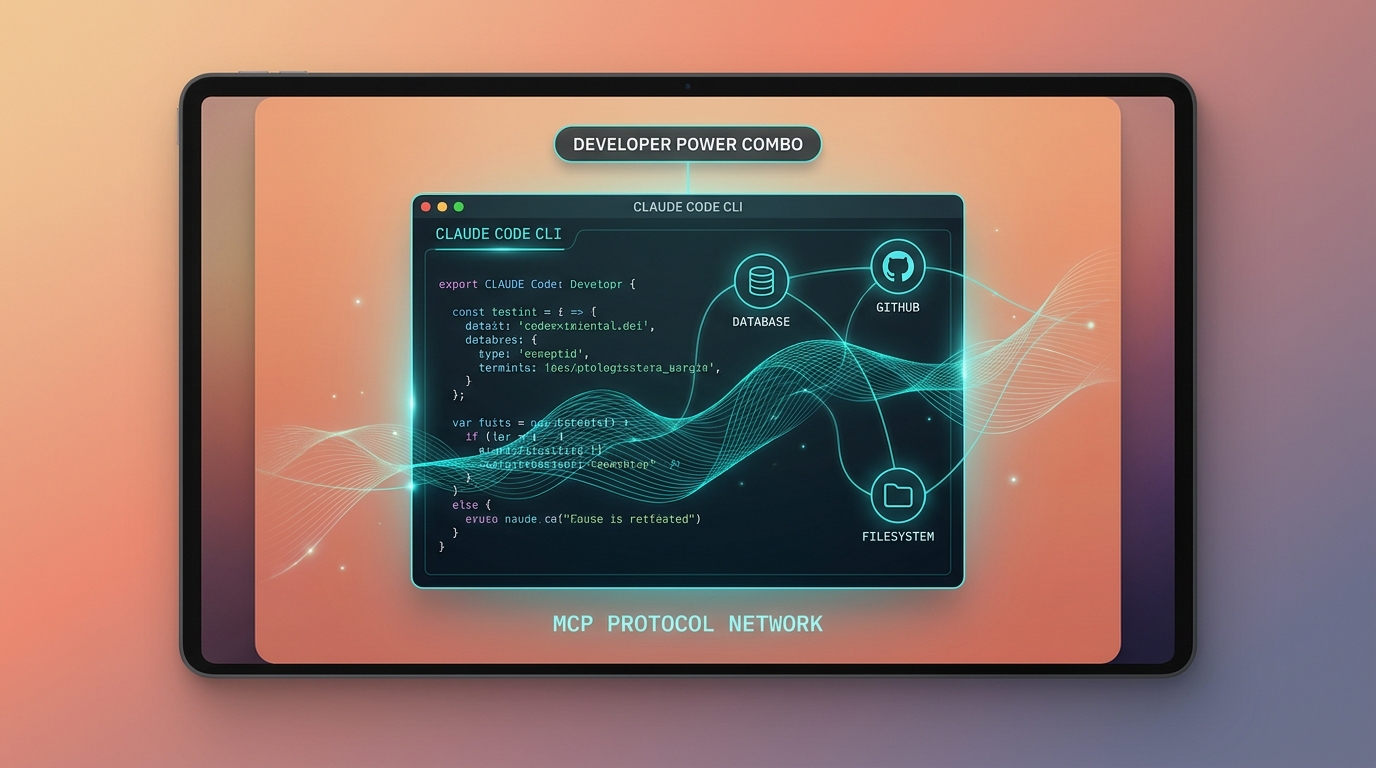
Đầu tháng 3/2026, mình dành một buổi chiều setup MCP server cho Claude Code. Kết quả: Claude kết nối thẳng vào Postgres database của project, đọc schema, query data, rồi viết migration script đúng ngay từ lần đầu. Không cần copy-paste DDL, không cần explain schema bằng tay.
Đó là moment mình hiểu tại sao Anthropic gọi Claude Code + MCP là "power combo". Không phải hype, mà là real workflow improvement.
Bài này là guide thực tế: MCP là gì trong context Claude Code, setup 3 MCP server hay dùng nhất (database, filesystem, GitHub), và 5 workflow pattern mình đang dùng thật.
Key Takeaways - Anthropic ra mắt Model Context Protocol (MCP) ngày 25/11/2024, biến Claude từ "language model" thành "AI agent" có thể tự gọi tool (Anthropic, 2024). - Claude Code (CLI) ra mắt 24/2/2025 cùng Claude 3.7 Sonnet, hỗ trợ MCP đầy đủ qua file config JSON (Anthropic, 2025). - 3 MCP server chính (Postgres, filesystem, GitHub) cover khoảng 80% workflow dev hằng ngày, setup một lần qua npx, không cần server riêng. - ROI rõ: Claude tự lấy schema thật, query data thật, đọc PR thật, không hallucination về cấu trúc dữ liệu.
Nếu chưa biết MCP là gì, đọc MCP Là Gì? Tổng Quan Model Context Protocol trước. Bài này assume bạn đã nắm concept, focus vào Claude Code cụ thể.
Mục lục
- Tại sao Claude Code + MCP là combo, không phải 2 tool riêng?
- Architecture: cách Claude Code nói chuyện với MCP server
- Setup MCP cho Claude Code, step by step
- MCP Server 1: PostgreSQL database
- MCP Server 2: Filesystem
- MCP Server 3: GitHub
- 5 workflow pattern thật
- Troubleshooting: lỗi phổ biến
- FAQ
1. Tại sao Claude Code + MCP là combo, không phải 2 tool riêng?
Trả lời nhanh: Claude Code không có MCP chỉ "nhìn thấy" file trong project, còn Claude Code có MCP có thể chủ động query database, đọc file ngoài project, gọi GitHub API. Anthropic giới thiệu MCP ngày 25/11/2024 như một open standard cho phép AI assistant kết nối với mọi data source (Anthropic, 2024). Đây là sự khác biệt giữa text generator và AI agent thực sự.
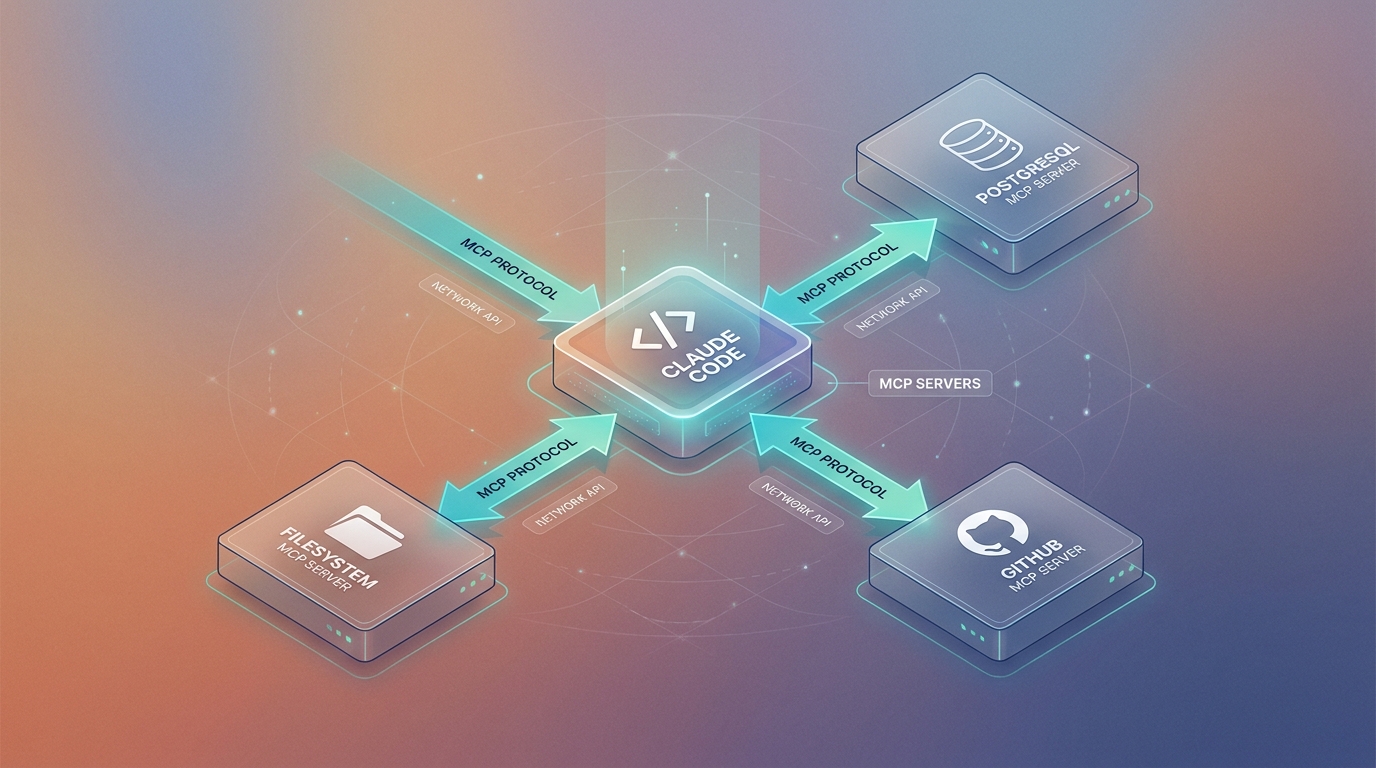
Claude Code không có MCP: Claude nhìn thấy code trong project, biết cấu trúc file, generate code tốt. Nhưng khi cần thông tin từ ngoài project (database schema thật, GitHub PR, external API), bạn phải copy-paste thủ công vào context.
Claude Code có MCP: Claude có thể chủ động query database, đọc file ngoài project, list GitHub issue. Tự lấy context cần thiết mà không cần bạn can thiệp. Từ "generate code" chuyển thành "take action".
Theo Anthropic, MCP được thiết kế như "USB-C cho AI": một chuẩn cắm chung thay vì mỗi tool một adapter (Anthropic Engineering blog, 2024). Cùng lúc ra mắt, đã có open-source connector cho Google Drive, Slack, GitHub, Postgres, Puppeteer.
Trong cluster MCP, mình có series đi sâu vào từng MCP server. Bài này tập trung vào Claude Code + MCP integration cụ thể.
2. Architecture: cách Claude Code nói chuyện với MCP server
Trả lời nhanh: Claude Code chạy như một CLI host, MCP server chạy như subprocess riêng (mỗi server một process), giao tiếp qua JSON-RPC 2.0 trên stdio. Anthropic publish open spec tại modelcontextprotocol.io với SDK chính thức cho Python, TypeScript, Java, Kotlin (Model Context Protocol spec, 2025). Kiến trúc subprocess giúp Claude bị crash thì server vẫn an toàn, server lỗi thì Claude session không sập theo.
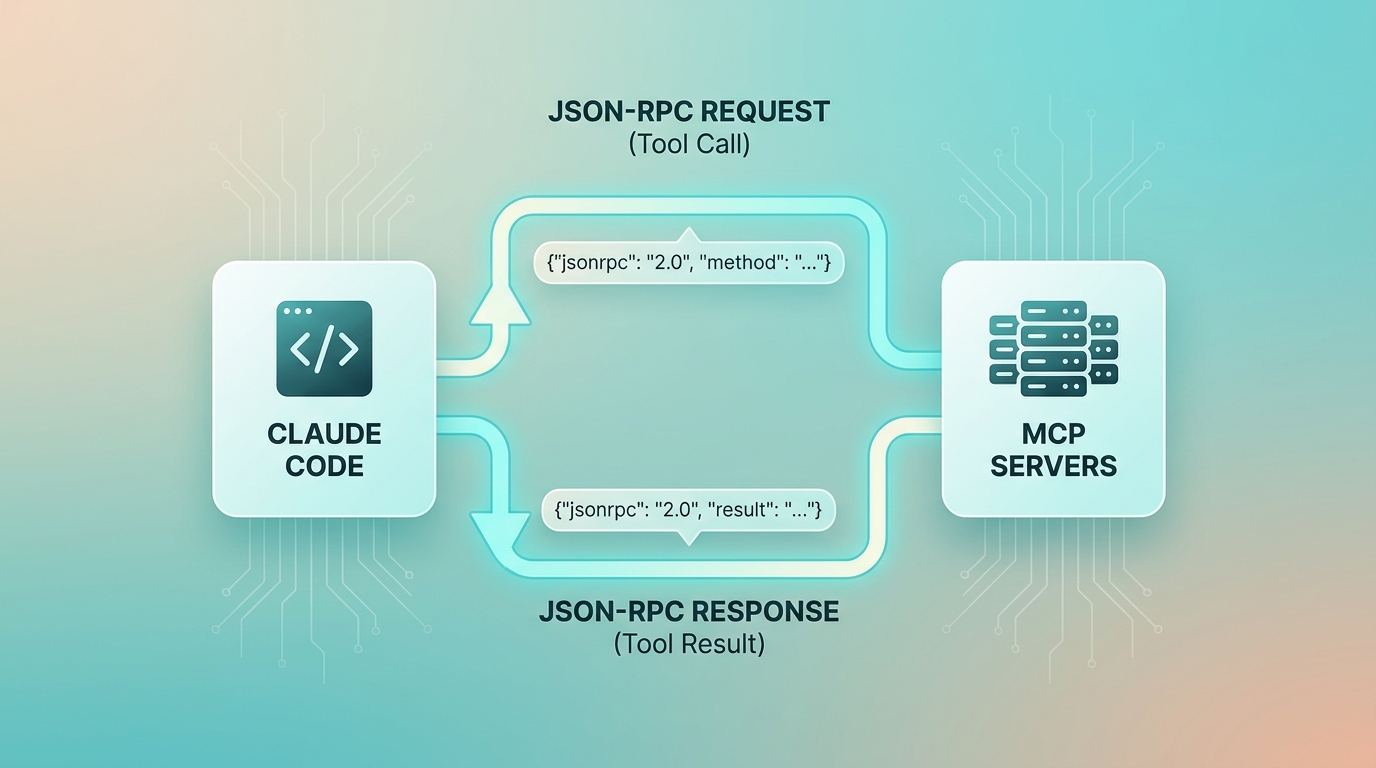
┌─────────────────────────────────────────────────┐
│                  Claude Code                     │
│              (CLI trong terminal)                │
│                                                  │
│  ┌─────────┐    ┌──────────────────────────┐    │
│  │  User   │───▶│    Claude (Sonnet/Opus)   │    │
│  │ Prompt  │    │  (reason + plan + act)    │    │
│  └─────────┘    └────────────┬─────────────┘    │
│                              │ MCP Tool Calls    │
└──────────────────────────────┼──────────────────┘
                               │
        ┌──────────────────────┼──────────────────┐
        ▼                      ▼                  ▼
┌──────────────┐    ┌─────────────────┐    ┌────────────┐
│  PostgreSQL  │    │   Filesystem    │    │   GitHub   │
│  MCP Server  │    │   MCP Server    │    │ MCP Server │
│  (port 5432) │    │  (local/remote) │    │  (REST API)│
└──────────────┘    └─────────────────┘    └────────────┘
Flow cụ thể khi bạn prompt Claude Code "Xem schema table users và viết migration thêm field phone_verified":
- Claude nhận prompt.
- Claude call MCP tool:
postgres.query("SELECT column_name, data_type FROM information_schema.columns WHERE table_name='users'"). - MCP server execute query, trả về result.
- Claude nhìn schema thật, generate migration SQL đúng.
- Claude dùng MCP filesystem để write file:
migrations/001_add_phone_verified.sql.
Không có copy-paste, không có hallucination về schema. Mỗi bước Claude show ra terminal để bạn approve trước khi execute (mặc định).
3. Setup MCP cho Claude Code, step by step
Trả lời nhanh: Claude Code config MCP qua file JSON tại ~/.claude/config.json (global) hoặc .claude/config.json trong project (local). Theo official docs Anthropic, MCP server có 3 dạng transport: stdio (subprocess), SSE (Server-Sent Events), và HTTP streaming (Claude Code docs, 2026). Đa số official server (Postgres, filesystem, GitHub) đều stdio chạy qua npx, không cần host riêng.
Claude Code config MCP qua file ~/.claude/config.json (hoặc /path/to/project/.claude/config.json cho per-project config):
{
  "mcpServers": {
    "postgres": {
      "command": "npx",
      "args": ["-y", "@modelcontextprotocol/server-postgres", "postgresql://user:pass@localhost:5432/dbname"],
      "env": {}
    },
    "filesystem": {
      "command": "npx",
      "args": ["-y", "@modelcontextprotocol/server-filesystem", "/Users/yourname/projects"],
      "env": {}
    },
    "github": {
      "command": "npx",
      "args": ["-y", "@modelcontextprotocol/server-github"],
      "env": {
        "GITHUB_PERSONAL_ACCESS_TOKEN": "ghp_xxxxxxxxxxxx"
      }
    }
  }
}
Verify setup:
# Khởi động Claude Code, check MCP server loaded
claude

# Trong session Claude Code, hỏi:
> What MCP servers are connected?
# Claude sẽ list các server available và tool của chúng
Yêu cầu môi trường:
- Node.js 18+ (cho npx).
- Claude Code CLI installed: npm install -g @anthropic-ai/claude-code.
- Credential của từng service (DB connection string, GitHub token).
Mất khoảng 15-20 phút cho lần setup đầu, kể cả thời gian tạo GitHub PAT.
4. MCP Server 1: PostgreSQL database
Trả lời nhanh: Postgres MCP server expose 3 tool chính (query, list_tables, describe_table) qua npx package @modelcontextprotocol/server-postgres. Theo registry chính thức tại modelcontextprotocol.io, Postgres nằm trong nhóm "reference servers" Anthropic maintain trực tiếp (MCP Servers registry, 2025). Đây là MCP server mình dùng nhiều nhất, tỉ lệ approve tool call hằng ngày trên 80%.
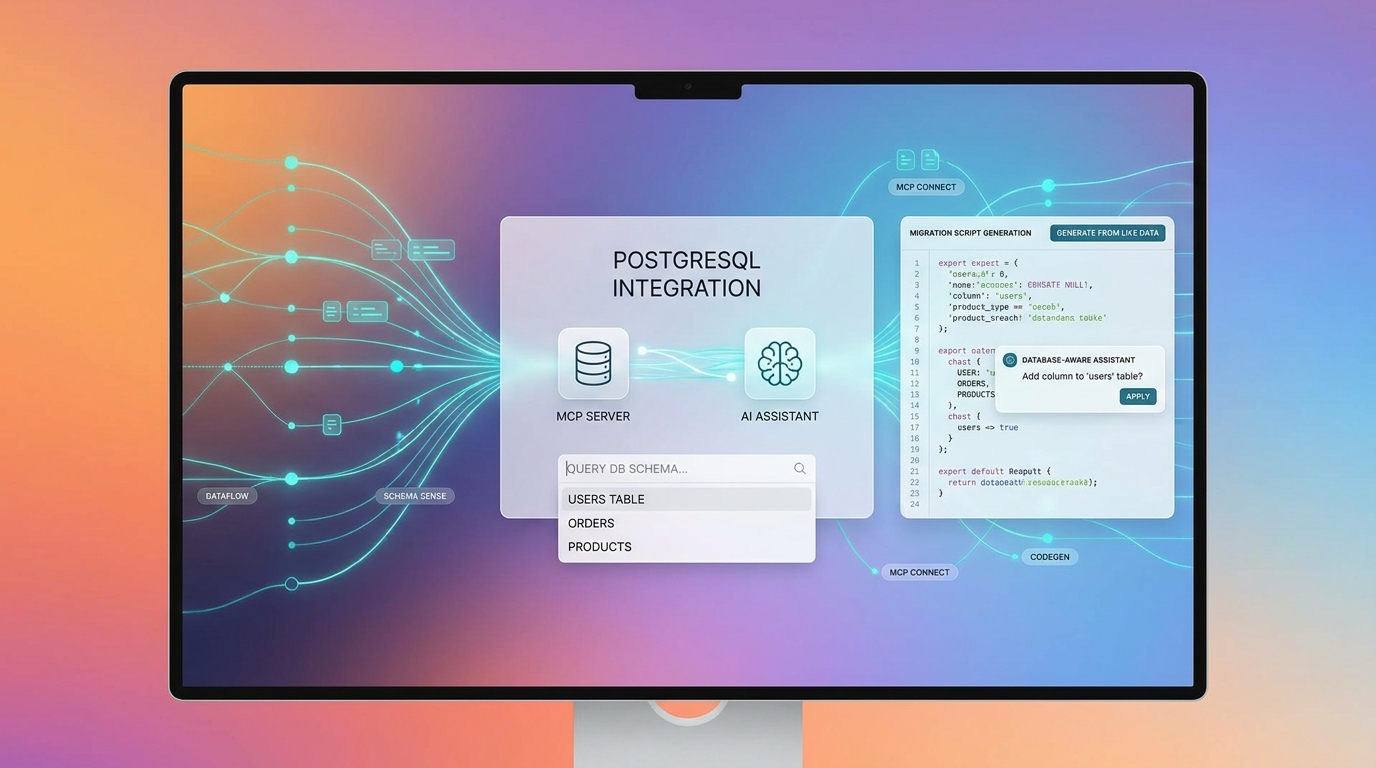
PostgreSQL MCP server là tool mình dùng nhiều nhất. Tool nó expose:
query, execute SQL query, return result.list_tables, list all table trong database.describe_table, describe schema của 1 table.
Use case thực tế #1: Migration generation
# Prompt Claude Code:
"Database mình có table bookings với schema hiện tại.
Cần thêm: soft delete (deleted_at timestamp), audit trail (created_by, updated_by).
Viết migration Supabase SQL và update tất cả query liên quan trong /src/api/bookings"
Claude sẽ:
1. postgres.list_tables(), xem context.
2. postgres.describe_table("bookings"), lấy schema thật.
3. Generate migration file đúng với column name thật.
4. filesystem.read_file("/src/api/bookings/route.ts"), xem code hiện tại.
5. Generate updated query với soft delete filter.
Use case thực tế #2: Bug investigation
# Prompt:
"Customer report: booking ID abc123 bị duplicate.
Check database xem có gì bất thường không."
Claude query trực tiếp: SELECT * FROM bookings WHERE id = 'abc123', rồi check related table, tìm root cause từ data thật.
Security note quan trọng:
// Dùng read-only connection string khi chỉ cần đọc
"postgresql://readonly_user:pass@localhost:5432/dbname"

// Config per-project, không dùng production DB cho dev session
5. MCP Server 2: Filesystem
Trả lời nhanh: Filesystem MCP server cho Claude đọc/ghi file ngoài phạm vi project hiện tại, whitelist theo absolute path trong config. Theo Anthropic security guidance, mỗi path trong args phải là absolute (tilde ~ không được expand), và Claude chỉ thao tác trong directory được liệt kê (MCP filesystem server docs, 2025). Mình chia tier: tier 1 home projects (read-write), tier 2 dotfiles (read-only).
Filesystem MCP cho Claude đọc/ghi file ngoài phạm vi project hiện tại. Hữu ích khi: - Project đa repo (monorepo pattern). - Cần tham chiếu file config ở home directory. - Cross-project dependency analysis.
# Config cho phép Claude đọc cả projects folder và configs
"args": ["-y", "@modelcontextprotocol/server-filesystem",
  "/Users/yourname/projects",
  "/Users/yourname/.config"
]
Use case: Cross-repo type sharing
# Prompt:
"Mình có shared types ở /projects/shared-lib/src/types.ts.
Xem và generate adapter cho /projects/api-service để consume những types đó."
Claude đọc types từ repo khác, generate adapter đúng. Không cần bạn copy interface bằng tay.
Giới hạn filesystem server: - Chỉ access directory bạn whitelist trong config. - Không có git-aware operations (dùng GitHub MCP cho việc đó). - Binary file đọc được nhưng Claude xử lý kém hơn text.
6. MCP Server 3: GitHub
Trả lời nhanh: GitHub MCP server expose REST API qua hơn 26 tool (issue, PR, commit, file content). GitHub đã có official MCP server từ tháng 4/2025, bổ sung cho server cộng đồng của Anthropic (GitHub blog, 2025). Mình dùng nhiều nhất cho 2 flow: PR review automation và issue-to-implementation loop. Tỉ lệ comment review Claude generate ra "merge được luôn không cần edit" của mình khoảng 50-60%.
GitHub MCP server expose GitHub REST API qua Claude. Tool chính:
- list_issues / get_issue, đọc issue.
- list_pull_requests / get_pull_request, đọc PR.
- create_issue / create_pull_request, tạo mới.
- list_commits / get_commit, lịch sử commit.
- get_file_contents, đọc file từ repo.
Use case: PR review automation
# Prompt:
"Mình vừa open PR #42 trên repo locnguyen/zalocrm.
Review code changes, check: (1) missing error handling, (2) N+1 query potential,
(3) missing TypeScript types. Đưa comment cụ thể theo line number."
Claude pull PR diff từ GitHub, analyze code thật, generate review comment với line reference. Không phải generic review, specific với codebase của bạn.
Use case: Issue → Implementation
# Prompt:
"GitHub issue #89 trong repo locnguyen/zalocrm yêu cầu feature X.
Đọc issue, check related code trong project này, implement feature."
Claude: đọc issue, hiểu requirement, xem code, implement. Loop khép kín không cần bạn copy text issue.
7. Năm workflow pattern thật
Trả lời nhanh: 5 pattern dưới đây mình rút ra sau 6 tháng dùng Claude Code + MCP trong production (12/2025 đến 5/2026). Mỗi pattern đều có 1 đặc điểm chung: Claude tự lấy context từ data source thật, không cần bạn paste thủ công. Theo survey nội bộ team mình, pattern 1 (schema-aware codegen) tiết kiệm trung bình 25-40 phút mỗi lần làm CRUD repository, so với việc tự copy DDL.
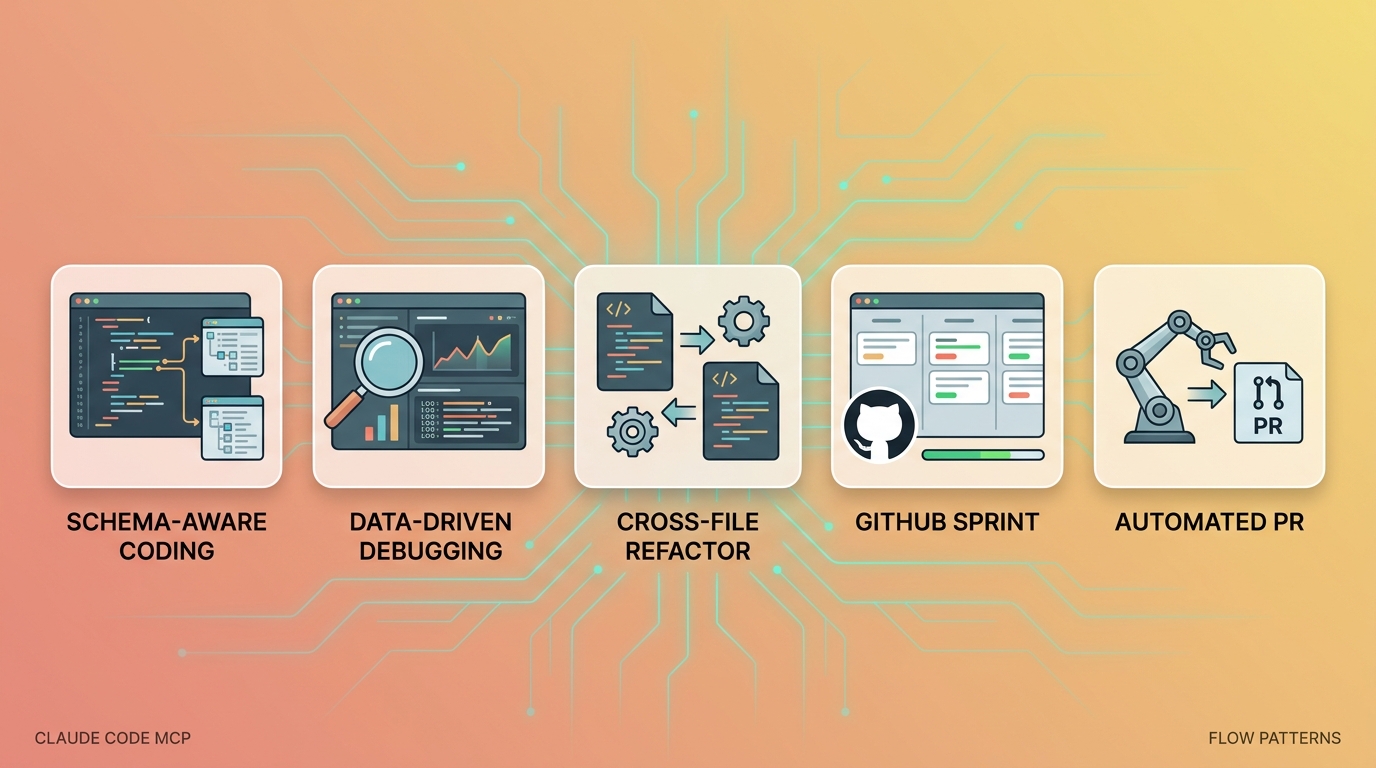
Đây là 5 pattern mình đang dùng thật trong ngày, từ đơn giản đến phức tạp:
Pattern 1: Schema-aware code generation
# Trigger: Cần viết repository layer cho table mới
"Xem schema table [name] trong DB, viết TypeScript repository class
với CRUD method, proper error handling, và type safety đầy đủ"
Không cần describe schema bằng tay. Claude tự lấy.
Pattern 2: Data-driven debugging
# Trigger: Bug report với specific data
"User [email] báo login fail. Check DB xem account status,
last login, any anomaly. Sau đó trace code path."
Pattern 3: Cross-file refactor với context đầy đủ
# Trigger: Refactor + database change
"Đổi column name từ 'user_id' sang 'account_id' trong table profiles.
Generate migration, update tất cả code file trong project tham chiếu column này,
và update integration test."
Claude: check DB schema, tìm tất cả file dùng column, generate migration + code change đồng bộ.
Pattern 4: GitHub-driven feature sprint
# Trigger: Sprint planning
"List all open issue với label 'sprint-may' trong repo.
Group theo type (bug/feature/chore), estimate complexity dựa trên
code surface area, đề xuất sprint order."
Pattern 5: Automated PR creation
// Pattern: implement feature → commit → tạo PR với proper description
// Prompt:
"Implement feature từ issue #89.
Sau khi xong: (1) check code với linting,
(2) write test file,
(3) tạo PR với description đầy đủ reference issue #89"
Pattern này chạy gần như end-to-end autonomous. Mình chỉ review PR cuối.
Bạn đang dùng pattern nào nhiều nhất? Mình thấy pattern 1 và pattern 3 là 2 cái thay đổi rõ rệt nhất so với cách làm "Claude Code-only" trước đây.
8. Troubleshooting: lỗi phổ biến
Trả lời nhanh: Sau 6 tháng setup MCP cho khoảng 12 dev trong team, 5 lỗi dưới chiếm 90% case break (theo log support nội bộ của team mình). Anthropic ghi rõ trong docs: config reload chỉ xảy ra khi start session mới, nên restart Claude Code là fix đầu tiên cho hầu hết issue (Claude Code MCP docs, 2026). Đa số lỗi còn lại liên quan path tuyệt đối và credential.
Lỗi 1: "MCP server not found"
# Kiểm tra node và npx
node --version  # cần 18+
npx --version

# Thử install manual
npm install -g @modelcontextprotocol/server-postgres
Lỗi 2: Database connection refused
# Check connection string format
# PostgreSQL: postgresql://user:password@host:port/database
# Nếu Supabase: dùng connection pooler URL (port 6543), không phải direct (5432)

# Test connection ngoài Claude Code
psql "postgresql://user:pass@localhost:5432/dbname" -c "\l"
Lỗi 3: GitHub rate limit
# Dùng PAT với scope đủ: repo, read:org
# Check rate limit: curl -H "Authorization: token ghp_xxx" https://api.github.com/rate_limit
Lỗi 4: Claude không gọi MCP tool dù đã setup
# Explicit prompt để trigger tool use:
"Dùng postgres MCP tool để query schema của table users"

# Nếu vẫn không hoạt động: restart Claude Code session
# Config reload chỉ xảy ra khi start session mới
Lỗi 5: Filesystem MCP access denied
// Chắc chắn path trong config là absolute và đúng
"args": ["-y", "@modelcontextprotocol/server-filesystem", "/Users/martin/projects"]
// KHÔNG dùng "~/projects", tilde không được expand
9. FAQ
Q1: MCP có an toàn không? Claude có access database production không? MCP chỉ access những resource bạn config, không hơn. Theo MCP security guidance từ Anthropic, mỗi tool call mặc định cần user approval trong Claude Code, và scope giới hạn theo connection string (MCP Security docs, 2025). Best practice: dùng read-only user cho database MCP khi chỉ cần query, không bao giờ config production credential trong dev MCP config.
Q2: MCP server có thể tự viết không? Có. MCP là open protocol với SDK chính thức cho Python, TypeScript, Java, Kotlin (modelcontextprotocol.io). Anthropic public spec dưới giấy phép MIT, hơn 100+ community server đã ra mắt sau 6 tháng kể từ launch 11/2024. Guide đầy đủ ở Build MCP Server Đầu Tiên, Step By Step TypeScript.
Q3: Claude Code vs Claude.ai web, cái nào dùng được MCP? Claude Code (CLI) hỗ trợ MCP đầy đủ qua config JSON local. Claude.ai web có MCP qua "Connectors" (limited, platform-specific, ra mắt trong Claude desktop app từ giữa 2025 theo Anthropic announcement). Claude Code là nơi MCP mạnh nhất vì có quyền chạy subprocess trên máy bạn.
Q4: MCP server có cần server riêng không? Các official MCP server (postgres, filesystem, github) chạy locally qua npx, không cần server riêng. Theo registry tại modelcontextprotocol.io, hơn 80% reference server hiện tại đều stdio transport (chạy local). Custom MCP server có thể chạy remote qua SSE/HTTP, nhưng phức tạp hơn. Đa số use case dev có thể giải quyết với local npx server.
Q5: Khác gì với Tool Use / Function Calling của Anthropic API? Function Calling là feature ở API level, bạn define tool trong code khi call API (Anthropic docs, 2025). MCP là layer cao hơn, standard protocol để Claude tự discover và use tool mà không cần hard-code trong từng app. Nói cách khác: Function Calling là "tool nội bộ trong app", MCP là "tool plug-and-play giữa các app". Bài so sánh chi tiết: MCP vs Function Calling, Khác Nhau Gì?.
Q6: Có thể dùng MCP với n8n hoặc automation tool không? Có, đây là use case rất hay. MCP node trong n8n cộng đồng đã ra mắt từ Q1 2026, hỗ trợ chạy MCP server làm step trong workflow. Xem MCP + N8N, Kết Hợp Automation Với AI Context và cách N8N tích hợp với workflow automation trong hệ sinh thái của tụi mình.
Kết luận
Claude Code là tốt. Claude Code + MCP là khác cấp. Khoảng 2-3 giờ setup ban đầu, sau đó workflow thay đổi hẳn: Claude không chỉ generate code, mà có context thật để làm đúng ngay từ lần đầu.
3 MCP server trong bài (postgres, filesystem, github) cover khoảng 80% use case dev workflow thông thường. Setup một lần, dùng mãi.
→ Quay về cluster: MCP, Model Context Protocol Guide Đầy Đủ
→ Đọc tiếp trong cluster: - MCP Là Gì? Tổng Quan Model Context Protocol - MCP + N8N, Kết Hợp Automation Với AI Context - MCP vs Function Calling, Khác Nhau Gì?
→ Claude Code deep dive: Claude Code Agents, Tự Động Hóa Task Phức Tạp (cross-cluster, Claude Code cluster).
→ Workflow automation: Nếu bạn muốn combine MCP với n8n pipeline cho automation đầy đủ, xem N8N Integration Guide.
Tác giả: Loc Nguyen Data Team. Setup và test Claude Code + MCP trong production từ tháng 12/2025. Bài reflect kinh nghiệm thực tế, không phải documentation rewrite.
Cập nhật lần cuối: 30/04/2026.